![Group 11.svg]](https://support.iris.audio/hubfs/Group%2011.svg)
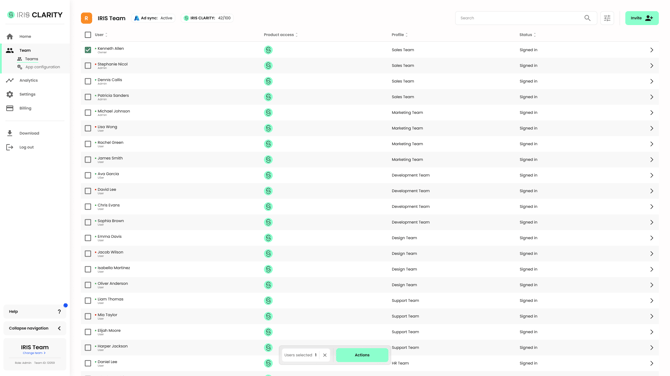
Team Management
Inviting users
You can invite users by entering their email addresses or by uploading a .csv file. After you enter the email addresses, you'll be asked to:
- Set a role: Admin or User.
- Assign a profile (Professional and Enterprise plans only).
- Choose whether to invite the user without access to IRIS Clarity.
User management actions
Select the checkbox next to a user to see the actions you can take.
Product access: product access is how you assign IRIS Clarity seats to a user. To log in to the app, a user must be invited to the dashboard and have product access. You can invite a user without product access so they can use management features without using a seat. On Professional and Enterprise plans, this includes analytics.
Roles: each role includes the permissions of the role before it:
- User: download the app and reset their password.
- Admin: team settings, plus analytics and app profiles on Professional and Enterprise plans.
- Owner: billing.
Assign a profile: assign app profiles to users. This is available on Professional and Enterprise plans.
Resend invite: resend a user's dashboard invitation.
Delete user: remove a user from the team.