![Group 11.svg]](https://support.iris.audio/hubfs/Group%2011.svg)
How do I stop monitors from being selected as speakers in IRIS Clarity?
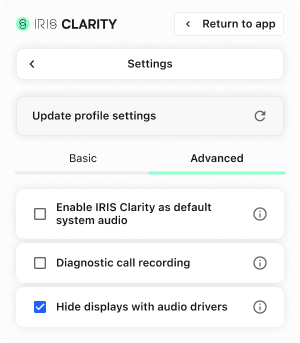
Enable the Hide displays with audio drivers setting to prevent monitors from being selectable in the IRIS Clarity app. Some displays contain built-in speakers that appear as selectable audio outputs; unless intentional, selecting one can cause 'no audio' on the speaker side of the call.
To enable this in the IRIS Clarity app:
- Open the side menu
- Click on Settings
- Select Advanced Settings
- Check the box next to Hide displays with audio drivers
Note: This setting can also be enabled via App Profile Configuration in the Account Dashboard.