![Group 11.svg]](https://support.iris.audio/hubfs/Group%2011.svg)
Issue
Whenever you open a new url that requires access to the microphone, Firefox requires you to allow access. Sometimes, even if access is allowed, or if access is allowed before IRIS Clarity is installed, the microphone does not connect.
Steps to fix
The fix to this problem requires clearing out the Microphone allow list and reconnecting to the calling platform.
-
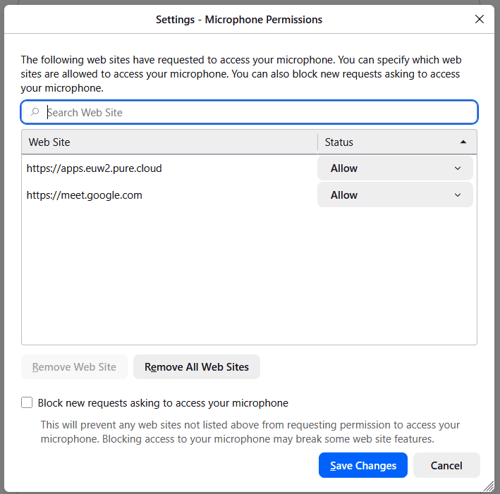
- In Firefox navigate to Menu > Settings > Privacy & Security > Microphone (Permissions)
- Click Remove All Web Sites
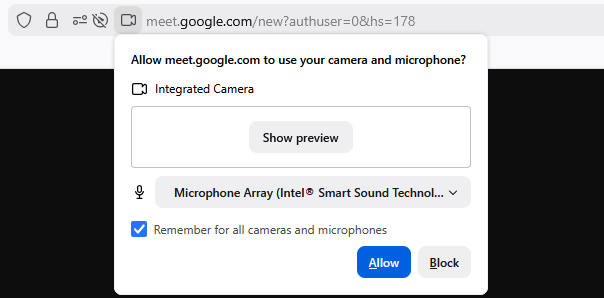
- Re-open the connected platform
- Tick Remember for all cameras and microphones
- Click Allow